
Saltar al contenido principal

GUÍA PRÁCTICA / FANSLY

Descargador de videos de Fansly

Usa StreamFork para guardar videos e imágenes de Fansly a los que tengas acceso. Abre una publicación o un mensaje, elige una calidad disponible y sigue la descarga desde la extensión.

Para publicaciones y mensajes a los que tienes acceso.

F Fansly
fansly.com/posts
toti_kimAug 22

New video post

▶VIDEO
♡ 6♡ 25$
VIDEOVIDEO

01 / POST CONTEXT

Download from posts and media lists

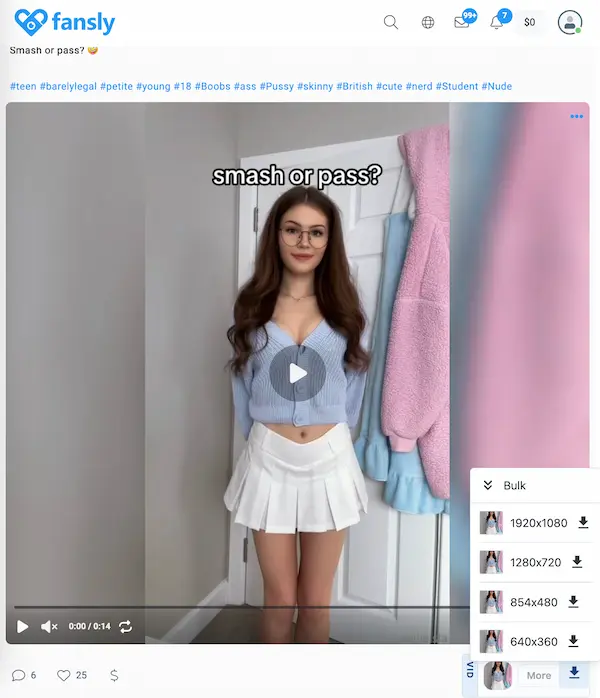
When media is visible in a Fansly post or media list, use the StreamFork control to download it without leaving the page.

  • Choose an available format for the selected media.
  • Keep the post visible while the download runs.
  • Use the side panel separately when media is detected from messages or supported media routes.
StreamFork download button below a Fansly video post
Post-level download control
StreamFork download progress shown below a Fansly post
Progress stays attached to the post

02 / SIDE PANEL

Download media the panel is listening for

On Direct Message pages and supported media routes, the extension listens for accessible video and image media in the StreamFork side panel. Click the small page-corner button to open it; filtering and plan limits are shown inside the panel.

Direct Messages media appears in the panel as you browse a conversation.Choose media download an available photo, MP4, or supported HLS source.Plan access filtering and bulk workflows depend on your plan.
F Fansly
fansly.com/messages
L
Lily Bunny Available now
☆ ♧ ⌕

( ˘ ³˘) the warm cup lasted longer than the to-do list ☕

1:00 pm
PHOTOmedia from this conversation

Do you have a favorite warm drink in the evening or daytime?

2:20 pm
▶Video message00:48 · media detected
Type a message...
▧◎Aa
Available Fansly video resolutions in the StreamFork side panel
Options come from the detected media

IN THE SAME PANEL

Supported HLS media converts to MP4

Direct MP4 files download directly. Supported HLS media shows downloading and converting status until the MP4 is ready.

▶HLS VIDEO
HLS
43% converting to MP4HLS download in progress
More ⌄

STREAMFORK / FANSLY

Download media right where you find it.

Use the post control for visible media, or the StreamFork panel when Direct Messages and supported media routes are being listened to.

01 / SURFACESPosts & Direct MessagesStart from the Fansly page you already use.
02 / MEDIAPhotos, MP4, and HLSChoose an option returned by the source.
03 / OUTPUTDownload or convert to MP4Follow progress in the same workflow.
01

Install and open the extension

StreamFork runs in Chrome, Edge, Brave, and other Chromium-based browsers.

  1. Get the latest build. Download it from the Releases page.
  2. Install it in your browser. Open chrome://extensions or edge://extensions, then load StreamFork.
  3. Return to Fansly. Open an accessible post, media list, or Direct Message page.

See the complete Installation Guide for browser-specific steps.

02

What StreamFork adds to Fansly

Focused download controls in the two places where Fansly media appears.

Post download barChoose a returned resolution or source format without leaving the post.
Listening panelCollect media from Direct Messages and supported media routes in one drawer.
Filter before savingNarrow detected media by type, duration, and posted date.
Progress feedbackSee downloading and HLS conversion status close to the media action.
03

Formats, quality, and output

Options are based on the media source. StreamFork does not promise a fixed resolution list for every Fansly item.

Direct MP4Downloads directly when the source provides an MP4 file.
HLSShows progress while supported streams are converted to MP4.
ImagesLists the quality options returned for the selected photo.
Fansly video player showing media available for download
Choose the output that fits the media

Select an available format in the post control or side panel. Optional filename templates are available in Settings.

04

Practical details

Keep the operational details together instead of interrupting the product workflow.

Plans

Fansly access, side-panel filtering, DRM, and bulk workflows depend on your plan. Check pricing for current details.

Mobile

For phone downloads, use the Mobile App Guide.

Cross-platform

StreamFork supports Fansly and OnlyFans in one browser extension. See the OnlyFans downloader guide or the Privacy.com.br downloader guide.

Authorized access

Only save media you are authorized to access and download.

05

Fansly downloader FAQ

Short answers to the questions people ask before installing.

What can the StreamFork Fansly downloader save?

StreamFork saves the Fansly videos and photos you already have access to, from posts, media lists, and Direct Messages. Direct MP4 files download as-is; supported HLS streams are converted to MP4 in the side panel.

How do I convert and save a Fansly video to MP4?

Open an accessible post, media list, or Direct Message conversation. If the source is already an MP4, pick it in the post control or side panel and the file downloads directly. If it's HLS, pick an available option and the panel shows progress while it converts to MP4. StreamFork works as a Fansly to MP4 converter — saving takes one choice, not a separate tool.

Why is there no download button on a post?

The control appears when accessible media is detected on the page. If it's missing, make sure you're logged in and have access to that content, then reload. For Direct Messages, open the side panel with the page-corner button; media appears there as you browse the conversation.

Is downloading Fansly videos allowed?

Only save media you're authorized to access and download. StreamFork doesn't bypass paywalls or access controls; it downloads what your own account can already view, and everything is processed locally in your browser.

Does it work on phones?

The extension runs in desktop Chromium browsers. For phone downloads, use the StreamFork mobile app for Android and iPhone — see the Mobile App Guide.