Onlyfans Downloader
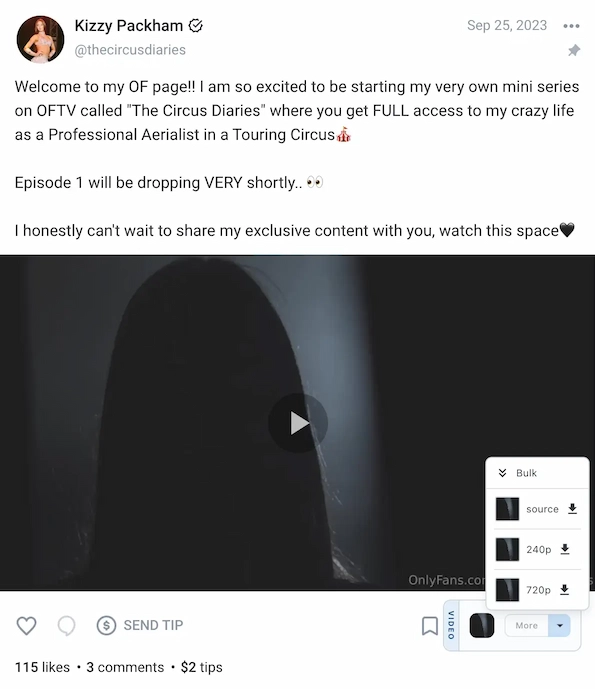
How to download OnlyFans videos
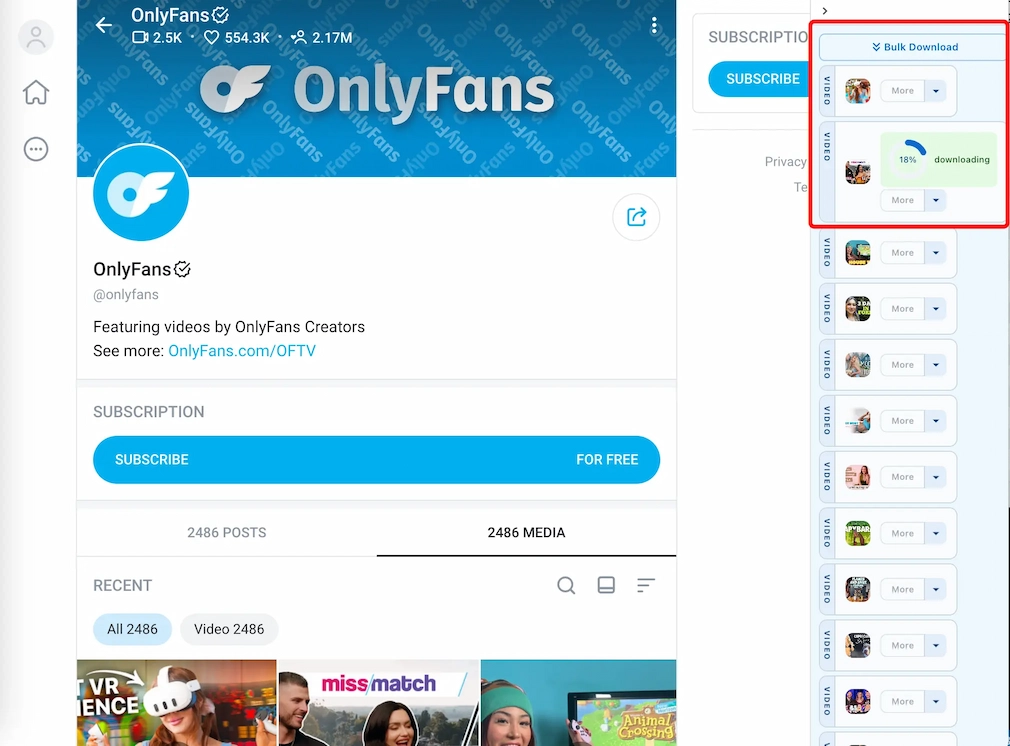
How to bulk download OnlyFans videos
Bulk download requires a Professional or Unlimited plan.
- Open a media page or a direct message page.
- Click the download button in the lower-right corner.
- A panel opens on the right side of the page.
- Click the bulk download button at the top of the panel.
Screenshot from https://onlyfans.com/onlyfans/media
Start from Any Position
You can start bulk downloading from any position in the list. Scroll to the media item where you want to begin, then click the bulk download button. StreamFork downloads all items from that position onwards, so you don't need to start from the beginning of the list.
Customize filenames and folders
The Filename Template in StreamFork Settings controls names for both OnlyFans and Fansly downloads. It uses Nunjucks-style variables to insert details about the creator, post, and media.
Available variables:
{{ username }}- Creator's username{{ userid }}- Creator's account ID{{ userdisplayname }}- Creator's display name{{ postid }}- Post ID{{ mediaid }}- Media ID{{ posttext }}- Post text{{ posttime }}- Post date or time{{ quality }}- Selected video or image quality
For example, this template sorts downloads into a creator folder and a date folder, then adds the post text and selected quality to the filename:
{{ username }}/{{ posttime | dateFormat("yyyy-MM-dd") }}/{{ posttext }}-{{ quality }}
Template tips:
- Use
dateFormat("yyyy-MM-dd")to formatposttime. - A
/in the template creates folders under your chosen output folder. - StreamFork adds the file extension automatically. Do not add
.mp4or.jpgyourself.
For Fansly-specific download options, see the Fansly video downloader guide.